Can AI Bookkeeping Backfire? How to Automate Safely
AI Bookkeeping and Finance Automation Can Create a Bigger Mess and How to Use It Safely
Have you ever turned on a shiny new automation, let it run for a month, and then realized later that half your transactions landed in the wrong place?
That is the real conversation around AI bookkeeping and finance automation right now. It is less about whether the tools exist and more about where they truly save time without quietly scrambling the shelves in the back room.
I am seeing a stronger shift away from fluffy “AI will do everything” talk and toward a more practical question: what can I automate safely, and where do I still need a real human to look at the books? That tracks with what the accounting trade press and the profession are saying. Accounting Today recently described 2026 as the year AI becomes a native layer inside bookkeeping, workflow, document handling, billing, and reporting. Around the same time, Meta launched Meta Small Business as a company-wide initiative to drive AI adoption, and Meta’s business AI tools are being positioned inside everyday channels like websites, ads, Messenger, and WhatsApp.
That trend is real. So is the risk.
AICPA and CIMA said in February that most organizations still lack the talent, systems, and governance needed to deploy AI effectively, and smaller organizations were the least equipped. That is the part I do not want small business owners to miss. Efficiency is great. Efficiency without oversight is how you end up with faster mistakes.
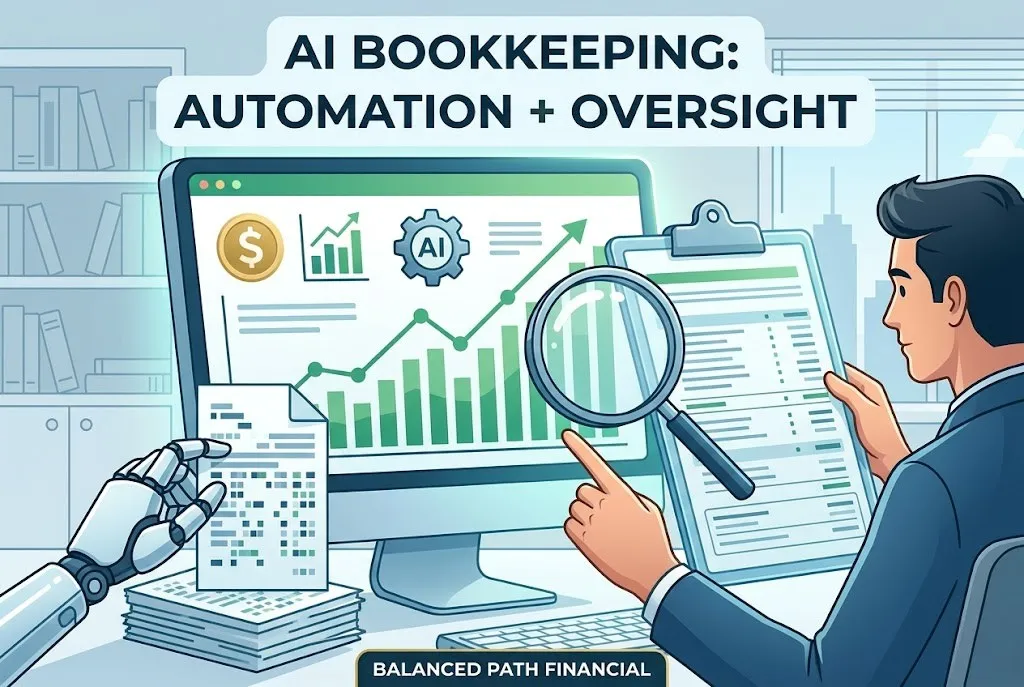
![Small business owner checking AI bookkeeping results before approving them]](https://assets.cdn.filesafe.space/Pomm6wtL7YfvDBJVsITN/media/69c999a0eae022f89ff02020.png "Small business owner checking AI bookkeeping results before approving them]")
If you want the foundation first, not just the tool, if this is the part you get stuck on, my Set Up Services page shows how I build a clean foundation before automation rules pile on. It covers setup, automation rules, training, and a simple weekly and monthly workflow so the system actually sticks.
What AI bookkeeping and finance automation can handle well
I am not anti-AI.
I am anti-unchecked bookkeeping.
Used well, AI bookkeeping and finance automation can take a lot of repetitive work off your plate. That is the good part, and it is worth using.
Here is where automation tends to help most:
importing bank and credit card activity
suggesting categories for recurring transactions
matching transactions during reconciliation
capturing receipt details
sending recurring invoices and reminders
scheduling reports
helping flag duplicates or odd entries
keeping routine workflows moving
That is not just theory. QuickBooks’ current automation guide specifically points to bank reconciliation, expense tracking, recurring invoicing, payroll automation, receipt capture, and scheduled reporting as core automation use cases. It also says automation can speed collections and keep cash flow moving when invoicing and reminders are set up well.
This is where automation shines: repeatable, rules-based work.
If the transaction looks the same every month, comes from the same vendor, and belongs in the same place every time, automation can be a solid helper. If a customer gets the same invoice every month, automation can do that without drama. If you want reports delivered on a schedule so you stop forgetting to look at them, that is a smart win too.
What automation does not do well is understand context the way you do.
It does not know that one transfer was a short-term owner contribution and another was loan proceeds. It does not know that one big supply purchase should really be equipment. It does not know your inventory workflow is messy, your sales tax setup is half-right, or your Shopify payouts need a more careful mapping structure than a generic “deposit equals sales” rule.
That is why I like automation as the assistant, not the decider.
Balanced Path Tip
Automate the repeatable steps, not the judgment calls. If a task needs context, interpretation, or a second question, it probably still needs review.
For a practical software-side explanation, for more context, QuickBooks’ automation guide shows which tasks modern tools can speed up. It is helpful for spotting the difference between time-saving automation and wishful thinking.
Where AI bookkeeping and finance automation still needs human review
This is the part people skip because it is less exciting.
It is also the part that keeps the books usable.
The professional guidance is pretty blunt here. AICPA and CIMA recently warned that AI output quality depends on input quality, that overreliance can erode professional competence, and that users need to understand limits, storage, security, oversight, and transparency before trusting the results. Journal of Accountancy made the same point from the controls side, saying preventive and detective controls, including human review of both underlying data and automated outputs, remain essential.
So where do I still want a human set of eyes?
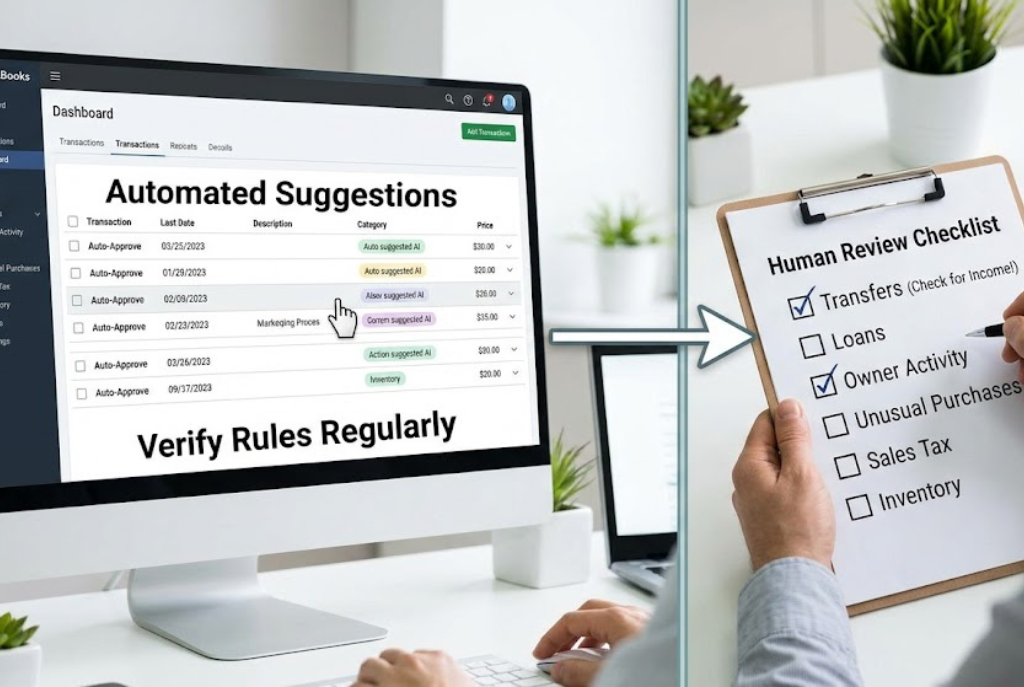
Here, every single month:
transfers between accounts
loan payments split between principal and interest
owner draws and owner contributions
ecommerce payouts with fees, refunds, and sales tax mixed in
unusual vendor charges
big one-time purchases
payroll exceptions
inventory and cost of goods sold
sales tax liability mapping
anything uncategorized, duplicated, or unclear
That list matters because those are the spots where books stop being mechanical and start being interpretive.
A rule can say, “This vendor usually goes here.”
A human can say, “Yes, but not this time.”
That difference is everything.
If this sounds like you…
You already have bank rules running, but you are not fully sure they are right.
You accept a lot of software suggestions because you are short on time.
Your books look “mostly fine,” but you do not really trust them.
You sell in more than one place and deposits are not always simple.
You want efficiency, but you also do not want tax-season surprises.
You know enough to be nervous, but not enough to feel confident.
That is exactly the middle ground where review matters most.
For the control side of this, here’s a deeper dive, Journal of Accountancy explains why human review remains essential as automation expands. And for the ethics and competence side, for more info, AICPA & CIMA’s ethics piece explains why verification, oversight, and data questions still matter.
How to use AI bookkeeping and finance automation without creating a bigger mess
This is where I think a lot of small businesses get into trouble.
They automate too early.
Or they automate on top of a messy foundation.
Or they automate because they are overwhelmed, which means nobody is really checking what the software is doing.
That is backward.
If your chart of accounts is messy, your sales channels are not mapped clearly, your payroll is inconsistent, or your ecommerce deposits already do not tie out cleanly, automation will not fix that. It will just help the mess happen faster and more consistently.
That is why I would build it in this order:
How to automate without losing trust in the numbers
Clean up your chart of accounts first
Make sure bank and credit card feeds are connected correctly
Identify recurring vendors, invoices, and workflows
Turn on only the simplest rules first
Review automated entries weekly at the beginning
Reconcile every month without skipping
Check sales tax, transfers, loans, and owner transactions manually
Limit access and permissions
Document what each rule is supposed to do
Revisit rules whenever your business changes
That last point matters more than people think.
The software is not wrong because it is “bad.” A lot of the time it is wrong because your business changed and the rule did not.
You added a second sales channel. You changed processors. You started offering subscriptions. You moved to a new inventory workflow. You hired staff. You changed how owner pay happens. Any one of those can turn last quarter’s “smart” automation into this quarter’s reporting problem.
QuickBooks’ own guidance says automation is not “set it and forget it,” warns against skipping reviews of automated entries, says even the best software can miscategorize transactions, and specifically says automation does not replace professional oversight. It also flags stale rules, missed reconciliations, and loose user permissions as common automation failures.
If you want a clean process behind the tools, for more support, my Bookkeeping Services page explains what steady monthly review should look like. And if you are still building the system itself, if you need the groundwork first, my Set Up Services page shows how I organize software, accounts, and workflows from the start.
When it’s time to bring in bookkeeping help
Sometimes the right answer is not “find better automation.”
Sometimes the right answer is “I need someone to review the books before this gets worse.”
I would say it is time to bring in bookkeeping help when:
you do not fully understand the rules already running
reconciliations keep getting skipped
your reports look clean but feel suspicious
you sell through multiple channels and deposits are messy
inventory, sales tax, and fees are all blending together
you keep fixing the same categorization mistakes
you are leaning on software because you are too overwhelmed to review it
tax time is approaching and trust in the books is shaky
That is not a sign you failed.
It is usually a sign the business has outgrown “click accept and hope.”
Balanced Path’s current pages lean heavily into this same idea. The blog is positioned around clear numbers, better decisions, and less financial stress. The bookkeeping service emphasizes current, accurate books and reliable reporting. The setup service focuses on building the system correctly from day one, including automation rules and a simple routine. And the FAQ is explicit that clean-up means fixing messy or inaccurate bookkeeping, not guessing or fabricating data.
If that is where you are, here’s a deeper dive, my DIY-to-professional bookkeeping post breaks down when handoff starts saving time and stress. And if your system needs structure before speed, for more support, my Set Up Services page explains how I build a bookkeeping system that actually makes sense.
Key Takeaways
AI bookkeeping and finance automation is worth using for repeatable, rules-based tasks.
It is strongest in areas like imports, recurring invoices, receipt capture, matching, and scheduled reports.
It is weakest where context matters, especially transfers, loans, owner activity, sales tax, inventory, and unusual transactions.
Professional guidance keeps saying the same thing: verify outputs, understand the tool’s limits, and keep human review in the process.
Smaller organizations are often less prepared on AI governance, systems, and readiness, which makes simple controls even more important.
Automation should reduce workload, not reduce trust in the books.
C) Quick Links
📚 Visit the Balanced Path Resource Library for downloadable resources
💵 Bookkeeping services
💛 Personal finance services
FAQs
What can AI handle in bookkeeping?
AI can help with repetitive, rules-based work like importing transactions, suggesting categories, capturing receipts, sending recurring invoices, and matching items during reconciliation. It works best when the system is already set up cleanly and someone reviews the results regularly.
What should never be fully automated in bookkeeping?
I would not fully trust automation with transfers, loan splits, owner draws, sales tax liability mapping, inventory-related entries, or unusual transactions. Those areas usually need context and review because one wrong rule can distort the reports fast.
How often should I review automated bookkeeping entries?
At minimum, review them weekly when you first turn rules on and reconcile monthly without skipping. If your business changes, you should also revisit the rules right away so old assumptions do not keep posting bad entries.
Can AI reconcile ecommerce payouts correctly?
Sometimes, partly. But ecommerce payouts often mix sales, refunds, fees, and sales tax in ways that need a more careful setup and human review. That is one of the most common areas where “mostly right” bookkeeping still creates reporting problems.
When does automation become a bookkeeping mess?
Usually when it is layered on top of a messy chart of accounts, weak review habits, or unclear sales mapping. If you are accepting suggestions you do not understand, skipping reconciliations, or trusting reports you do not really believe, automation is probably creating more risk than relief.
Conclusion
I think AI bookkeeping and finance automation is useful, but only when it stays in its lane. It can absolutely save time on repetitive bookkeeping and finance workflows. What it cannot do is replace review, judgment, and responsibility for the numbers. If you want to use AI without creating a bigger mess, start with a clean setup, automate the repeatable work, and keep a real human in the review loop.
Email me at [email protected]
Call/text 603-892-8879
Or book an introduction call


